LinkedIn Profile Photo Tips: 7 Mistakes to Avoid and How to Fix Yours (2026)
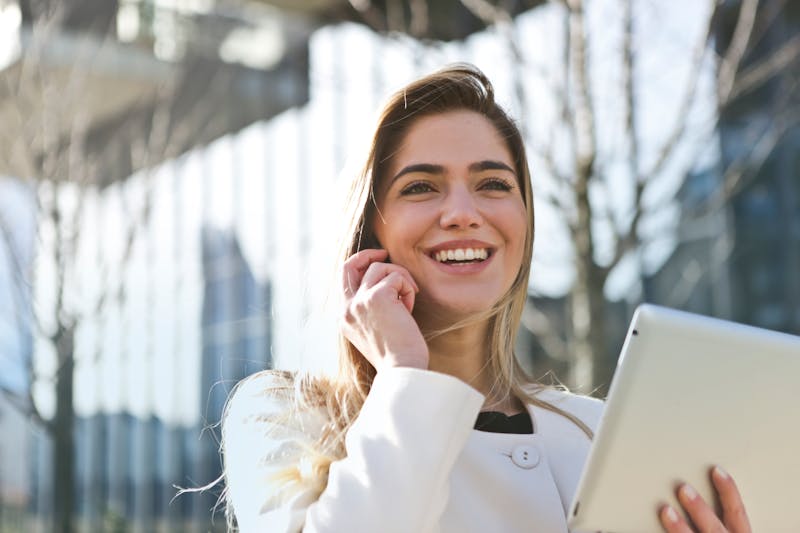
LinkedIn's own data is unambiguous: profiles with professional photos receive 21x more views and 36x more messages than those without. Yet the majority of LinkedIn users either have no photo, an obviously casual selfie, or a cropped group photo from a wedding.
Your LinkedIn photo is, quite literally, the first thing recruiters, clients, and partners see. It's your digital handshake. This guide covers everything you need to know to get it right.
LinkedIn's Official Photo Requirements
Technical Specifications
- •Recommended size: 400 × 400 px minimum (max 8MB, up to 4320 × 4320 px)
- •File formats: JPG, PNG, GIF (no animated GIFs)
- •Display: Cropped to a circle in the feed and profile
Composition Rules
- •Your face should occupy 60–80% of the frame (head and shoulders)
- •Look directly at the camera (averted gaze reads as evasive)
- •Slight, closed-mouth smile (the safest expression across all industries)
- •Neutral or blurred background (solid colors work best)
Dress Code by Industry
- •Finance, law, consulting: Suit and tie (navy or charcoal)
- •Tech and startups: Clean jacket without tie, or polished casual
- •Creative fields: Personality-appropriate but still professional
- •Universal rule: No sunglasses, no hats, no distracting accessories
The 7 Most Common LinkedIn Photo Mistakes
1. The Cropped Group Photo
We've all seen it — one person awkwardly cropped out of a party or event photo, with someone else's arm or shoulder still visible at the edge. This screams "I don't care enough to take a proper photo."
2. The Vacation Selfie
A beach sunset in the background doesn't say "hire me." Neither does a selfie from a bar, concert, or your car's front seat with seatbelt visible.
3. The 10-Year-Old Photo
If you've changed significantly (hairstyle, weight, glasses), your photo is misleading. When people meet you and you look nothing like your LinkedIn photo, it erodes trust before the conversation even starts.
4. The Beauty Filter
Instagram-grade skin smoothing and face reshaping look absurd in a professional context. Recruiters notice. It suggests poor judgment about context-appropriate presentation.
5. The Low-Resolution Blur
Old phone cameras, heavy compression, or screenshots of screenshots. If your photo looks pixelated on a laptop screen, it needs replacing.
6. The Overhead Angle Selfie
The "MySpace angle" — phone held high, looking up at the camera. This is inherently informal and subtly conveys insecurity (it's a pose designed to look more attractive, not more professional).
7. No Photo at All
This is actually worse than a mediocre photo. LinkedIn profiles without photos are often assumed to be fake accounts, bots, or people hiding something.

Option 1: DIY — Taking Your Own LinkedIn Photo
If you want to do it yourself for free, here's how to get the best possible result:
Lighting
- •Stand facing a window (natural light is the most flattering light source available)
- •Avoid overhead fluorescent lights (they create dark shadows under your eyes and nose)
- •Overcast days are actually ideal — the clouds act as a natural softbox
Camera Position
- •Place your phone at eye level (not above, not below)
- •Use a timer (3–10 seconds) and prop the phone on a shelf or use a cheap tripod
- •Stand at least 4 feet (1.2m) from the camera to avoid wide-angle lens distortion
Background
- •A plain white or light gray wall works perfectly
- •Check for distracting elements: power outlets, picture frames, door handles
- •If the wall has texture, step 2–3 feet away from it so it blurs slightly
The Limitations of DIY
Even with perfect execution, DIY photos have inherent limitations:
- •Flat lighting (one light source vs. professional multi-light setups)
- •No catch lights in the eyes (the sparkle that makes studio portraits look alive)
- •You're still wearing whatever you happen to have on
- •Background separation is limited without professional depth-of-field
Option 2: AI Headshot — Studio Quality in 5 Minutes
AI headshot generators like HeadshotGo solve every limitation of the DIY approach:
How It Works
- 1.Upload 1–3 casual selfies (any outfit, any background)
- 2.Choose your style (Corporate, Startup CEO, Creative Professional, etc.)
- 3.Wait approximately 5 minutes
- 4.Receive 40–100 professional headshot variations
- •Professional lighting: The AI simulates studio-grade lighting setups
- •Automatic attire: No need to own or wear a suit — the AI generates appropriate business wear
- •Multiple options: Instead of hoping your one studio session produces a good shot, you choose from dozens of variations
- •Instant updates: Change your headshot whenever you need to — no appointment required
- •Recruiters (83% check LinkedIn before interviews) spend ~6 seconds on initial profile reviews
- •Sales professionals with professional headshots see 2.7x higher InMail response rates
- •Connection request acceptance is 36x higher with a professional photo
- 1.Evaluate your current photo against the criteria above. If it has any of the 7 common mistakes, it's time for an update.
- 2.Try the free preview on HeadshotGo — upload a selfie and see the result before paying anything.
- 3.Update your LinkedIn photo and watch your profile views increase within the first week.
Why It Works for LinkedIn
The Data Behind First Impressions
Research from Princeton University found that people form judgments about competence and trustworthiness from a face within 100 milliseconds. On LinkedIn, this means:
At $19 for a complete set of professional headshots, the ROI is essentially infinite compared to the potential career or business impact.
Action Steps
Your LinkedIn photo is one of the highest-leverage, lowest-cost investments you can make in your professional presence.
Try AI Headshots for Free
Upload a selfie from your phone. Get studio-quality headshots in 5 minutes.
NEXT STEP
Go to the LinkedIn profile photo page
Use this core page if you want a LinkedIn-ready profile photo from a selfie.
Open core pageRelated Articles
AI Headshots Guide: How to Create LinkedIn and Resume Photos (2026)
Learn how AI headshot generators work, what quality to expect, and how to create better LinkedIn headshots and resume photos from a simple selfie.
Best AI Headshot Generators Compared: Pricing, Quality & Features (2026)
We compared the top AI headshot generators for LinkedIn, resumes, and business profile photos. See pricing, quality, privacy, and feature differences side by side.