AI Headshots Guide: How to Create LinkedIn and Resume Photos (2026)
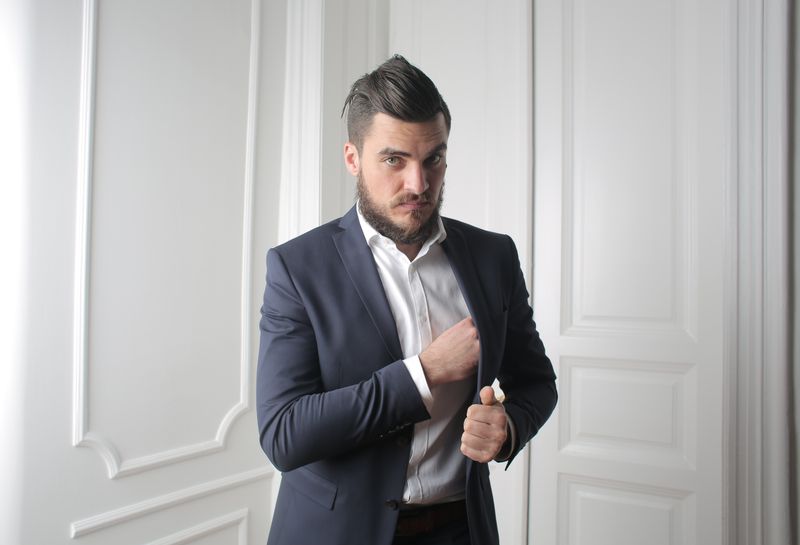
The professional headshot has always been a gatekept asset. You needed a photographer, a studio, good lighting, the right outfit — and $200–$500 for a single session. In 2026, AI headshot generators have fundamentally changed that equation.
But "AI headshot" is a broad term that covers everything from toy-like avatar generators to genuinely photorealistic portrait systems. This guide cuts through the noise and explains exactly what you need to know.
How AI Headshots Actually Work
Most people assume AI headshots are just "filters" applied to your selfie. That's wrong. Modern AI headshot generators use a fundamentally different process.
The Technology Behind It
The latest generation of AI headshot tools — including HeadshotGo — are built on diffusion models (specifically Flux.1 and similar architectures). Here's the simplified process:
- 1.Face Analysis: The AI analyzes your uploaded selfie to extract your unique facial features — bone structure, skin tone, eye shape, hair texture, and proportions
- 2.Scene Generation: Instead of editing your photo, the AI generates an *entirely new image* from scratch, placing your likeness into a professionally-lit studio scenario
- 3.Style Application: Professional lighting patterns (Rembrandt, butterfly, split lighting), business attire, and clean backgrounds are all generated as part of the new image
- 4.Quality Refinement: The output is upscaled and refined to remove artifacts, ensuring photorealistic quality at resolutions suitable for print
- •You don't need to wear a suit when taking your selfie
- •Background, lighting, and setting don't matter
- •A single casual selfie can produce 40–100 professional variations
- •The AI can generate multiple outfit styles, from corporate formal to startup casual
- •Eye color changes
- •Jawline alterations
- •Nose shape distortion
- •Skin tone lightening or darkening
- •"Uncanny valley" expressions
- •Rembrandt lighting: The classic portrait technique with a triangle of light on the shadow side of the face
- •Butterfly lighting: Even, flattering light from directly above, popular for corporate headshots
- •Catch lights: Small reflections in the eyes that make portraits look alive
- •Remove temporary blemishes (acne, minor scars)
- •Preserve skin texture and natural pores
- •Maintain realistic color variations
- •Avoid the "porcelain doll" effect
- •Lighting: Natural light from a window is ideal. Avoid overhead fluorescent lights (they create harsh shadows under your eyes)
- •Angle: Straight-on or slightly angled. Avoid extreme low or high angles
- •Distance: Hold the phone at arm's length or use a timer. Too close causes lens distortion (big nose effect)
- •Expression: Slight, natural smile with closed lips. This gives the AI the most flexibility
- •Quantity: Upload 2–3 photos for the best results. Different angles help the AI understand your face better
- •Sunglasses or hats (the AI needs to see your full face)
- •Heavy filters or beauty mode (these distort your actual features)
- •Group photos (the AI may struggle to identify which face is yours)
- •Very low resolution images (below 500px wide)
- •C-suite executives at Fortune 500 companies (where bespoke photography is an expected investment)
- •Published authors and speakers (where uniqueness matters)
- •Situations requiring full-body or environmental portraits
- •LinkedIn profile updates
- •Company directory and team pages
- •Job applications and resumes
- •Freelancer profiles (Upwork, Fiverr, Toptal)
- •Real estate agent and consultant headshots
- •Any situation where speed and cost matter
- •No model training: Your photos should NOT be used to train the AI model further
- •Auto-deletion: Uploaded photos and generated results should be deleted within 24–48 hours
- •Secure payment: Payment processing should use established providers like Stripe
- •Clear privacy policy: If a service can't clearly explain what happens to your data, don't use it
What This Means in Practice
The key insight is that AI isn't "enhancing" your selfie — it's creating new professional photographs of you. This is why:
What Makes a Good AI Headshot Service?
Not all AI headshot generators are equal. Here are the criteria that actually matter:
1. Facial Accuracy (The #1 Priority)
The headshot needs to look like you — not an idealized or averaged version of you. The most common failure of AI headshot tools is generating faces that are "close but off." Watch for:
The best services preserve your actual facial features while optimizing lighting, angle, and presentation.
2. Lighting Quality
Professional photographers spend years mastering studio lighting. A good AI headshot service should simulate:
3. Natural Skin Processing
There's a fine line between "polished" and "plastic." Over-processed skin — the kind you see on beauty apps — looks unprofessional in a business context. Quality AI headshots should:
How to Get the Best Results from AI Headshots
The quality of your output depends heavily on the quality of your input. Here's how to maximize your results:
Choosing the Right Selfie
What to Avoid
AI Headshots vs. Traditional Photography: Honest Comparison
| Aspect | Photo Studio | AI Headshot |
|---|---|---|
| Cost | $150–$500 | $20–$50 |
| Time | 2–4 hours (including travel) | 5 minutes |
| Outfit needed | Yes (bring your own suit) | No (AI generates attire) |
| Number of photos | 10–30 final shots | 40–100 variations |
| Retakes | Usually costs extra | Unlimited regeneration |
| Quality ceiling | Highest possible | Near-professional |
| Availability | Business hours, by appointment | 24/7, instant |
When to Still Choose a Studio
When AI Is the Better Choice
Privacy and Data Security
Uploading your face to any service raises legitimate privacy concerns. Here's what to look for:
HeadshotGo deletes all uploaded photos and generated results within 24 hours. We never use customer photos for model training.
Getting Started
The barrier to a professional headshot has never been lower. For the cost of a coffee, you can have studio-quality professional photos ready in minutes.
Try HeadshotGo for free — generate your first headshot with no payment required →
Try AI Headshots for Free
Upload a selfie from your phone. Get studio-quality headshots in 5 minutes.
NEXT STEP
Go to the AI headshot homepage
Start from the homepage to choose the best profile-photo use case.
Open core pageRelated Articles
Best AI Headshot Generators Compared: Pricing, Quality & Features (2026)
We compared the top AI headshot generators for LinkedIn, resumes, and business profile photos. See pricing, quality, privacy, and feature differences side by side.
LinkedIn Profile Photo Tips: 7 Mistakes to Avoid and How to Fix Yours (2026)
LinkedIn profiles with pro photos get 21x more views. Covers LinkedIn photo specs, 7 common mistakes to avoid, and how to get a studio-quality headshot from a selfie in minutes.